
Generating Threat Profile Recommendations from Splunk Events
Learn how to utilize the Threat Profile to understand security threats actually seen in your environment. By employing our Splunk integration, your Admin can seamlessly map threat associations (also known as observed threats) from IoC matches directly in the Threat Profile of your choice.
Required Setup
Ensure your Splunk environment is configured with the Google Threat Intelligence for Splunk application, which can be acquired via Splunkbase. For detailed installation and base API key configuration instructions, refer to the Splunk Integration Guide.
Splunk Configuration Procedures
Follow these instructions to set up Threat Profile synchronization within Splunk:
-
Access the configuration interface for the Google Threat Intelligence for Splunk application.
-
Find the Threat Profile section.
-
Turn on synchronization by selecting the appropriate checkbox.
-
Pick a Threat Profile from the provided dropdown menu. Note that all profiles shared across your organization will be visible.
-
Commit your changes by saving the settings.
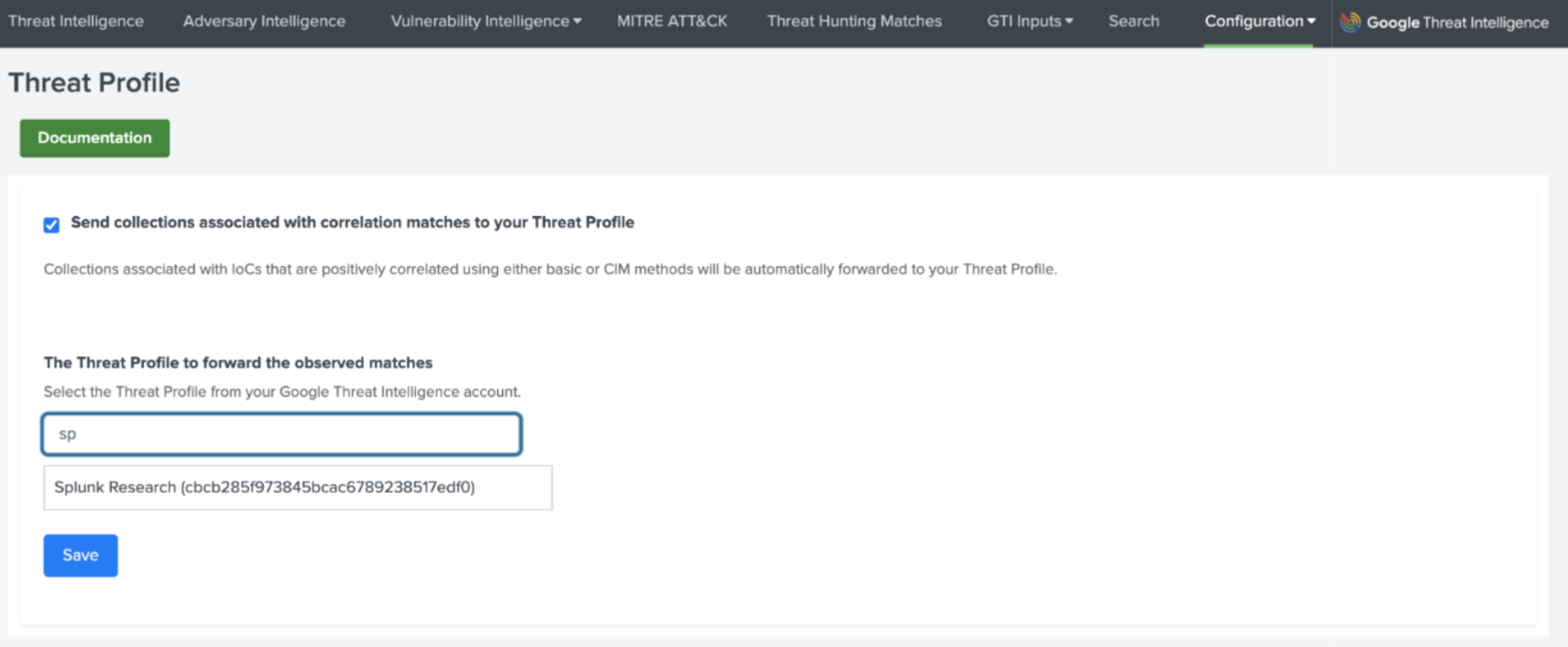
Visual representation of Threat Profile setup in Splunk
What information is sent to the Threat Profile?
The Splunk app sends the threat association (or collection ID) found in the Adversary Intelligence dashboard. Those associations are extracted from the malicious IoCs matched in your events.`
Key points to consider:
- To keep your Threat Profile accurate and noise-free, it only includes automatically correlated data. If you manually run an SPL query to enrich an IoC, that activity is treated as an active investigation and will be excluded from the profile.
- Only the specific association types listed below that come from Google Threat Intelligence (Google TI) will be forwarded to your Threat Profile.
- Threat Actors
- Malware Families
- Software Toolkits
- Campaigns
Visualization in Google TI
The configuration of the observed threats happens in the Splunk instance today. This means that, as a customer, there is no additional configuration you need to do, once you link the existing Threat Profile unique ID into your Splunk configuration.
Once set up, the threat collections (e.g., actors, malware, campaigns, etc.) are synchronized with your specific Threat Profile in Google Threat Intelligence and you will automatically see them in your profile view.
- Synchronized collections from Splunk will appear with the Observed and Splunk tags.
- This indicates that IoC matches with this threat association have been observed in your environment.
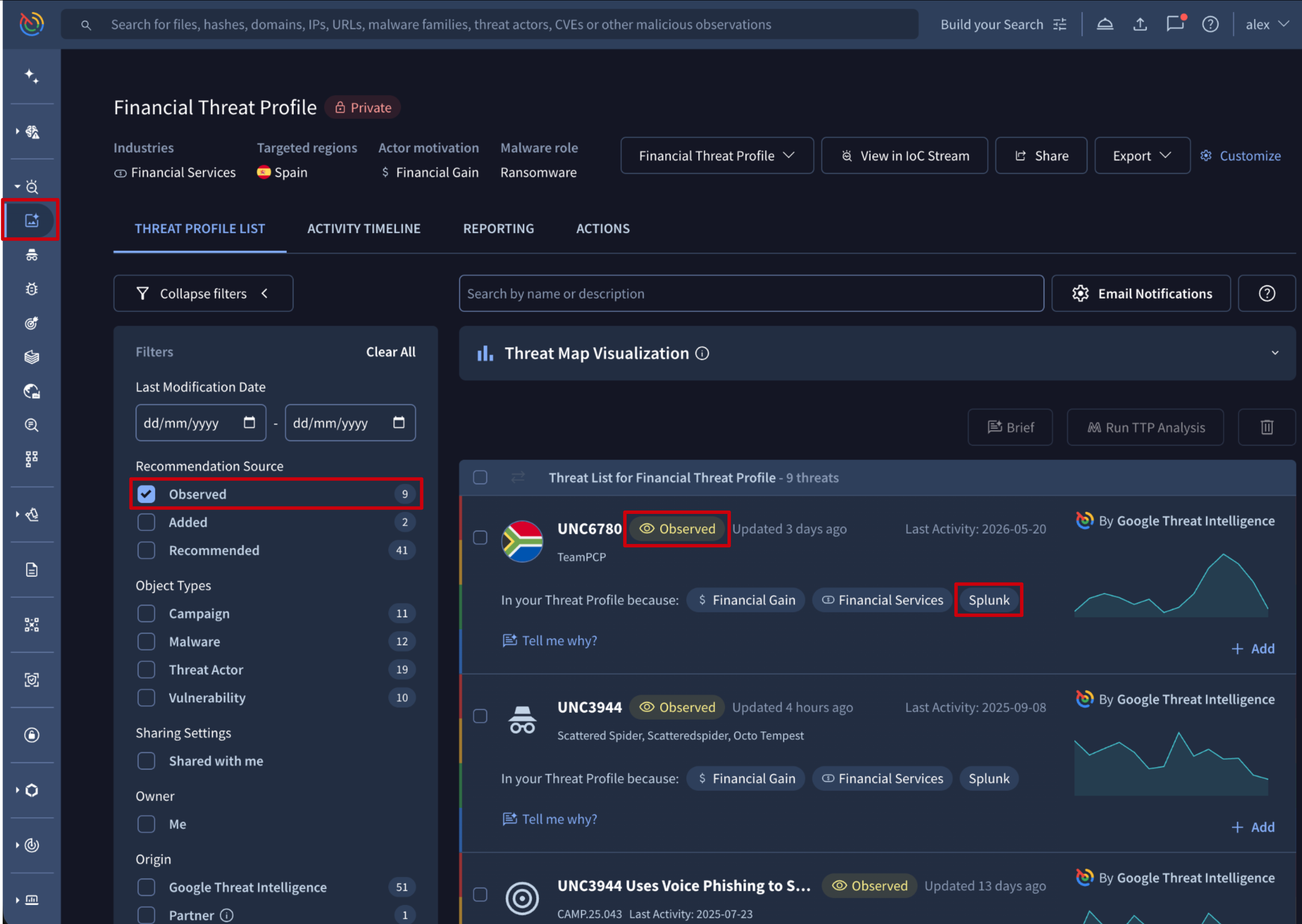
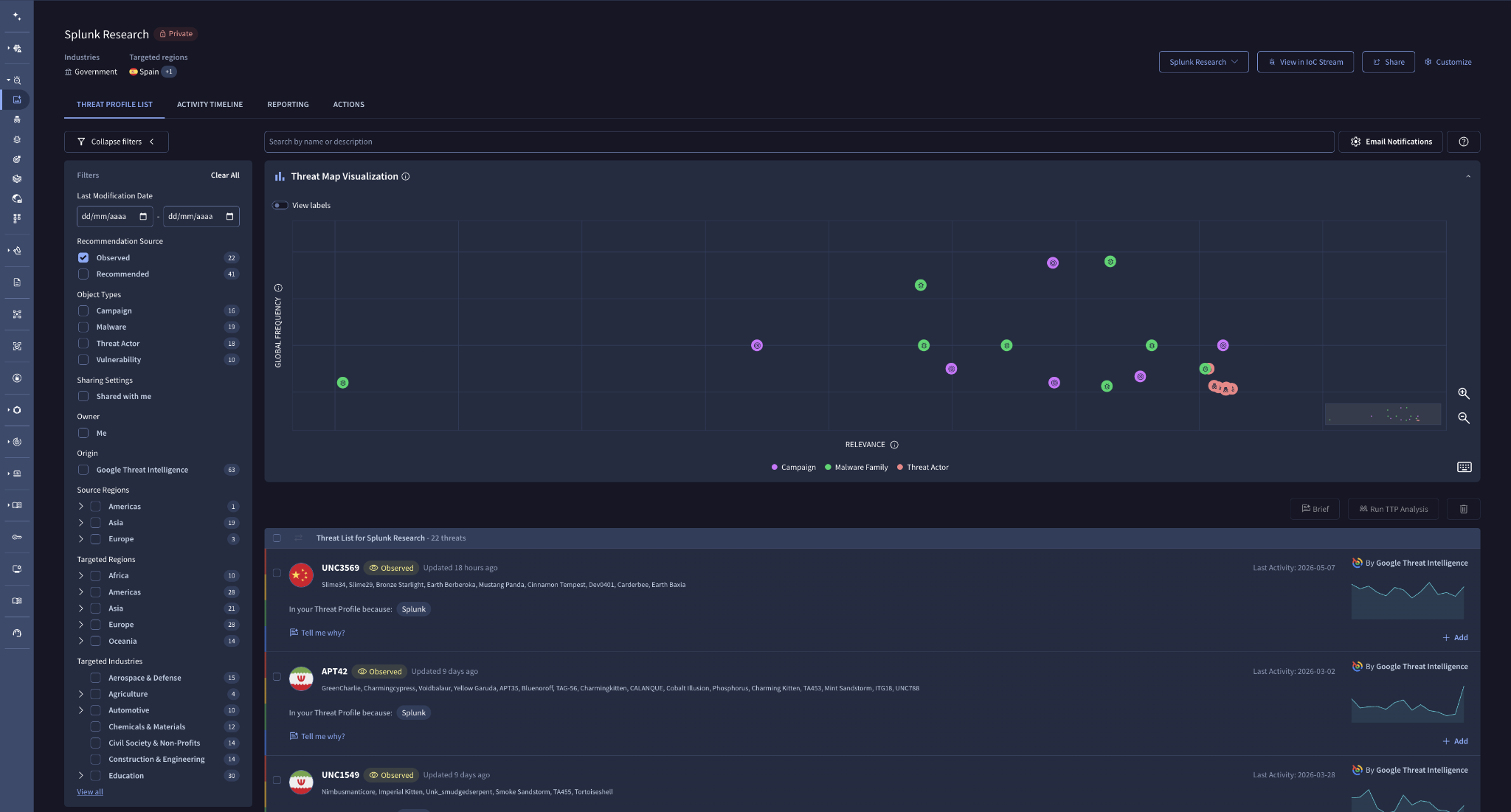
Google TI screenshot showing Threat Profile view
Filtering in Google TI
In the Google TI platform, you can filter by these specific collections using the Recommendation Source field and selecting the value Observed. This allows you to quickly see only the threats that have been detected and synchronized from your Splunk infrastructure.
Updated 4 months ago